Personal project · carolinetoscano.com · 2026
Redesigning my portfolio with AI
I rebuilt my portfolio with Claude and Cursor in 8 days. AI did the making. I kept the decisions, caught its mistakes and turned the process into a brief format I can bring to any team.
Product Design · AI-assisted workflow · Design System · Front-end · Copywriting
TL;DR
My portfolio was pretty, but it didn't show how I think. I redesigned the case studies around my decisions, created one standard for every project, added Portuguese, and shipped it myself. The real work was directing the AI and reviewing everything it made.
- Project
- carolinetoscano.com
- My role
- Product design, content, front-end with AI
- Timeline
- 8 days, Nov 2026
- Tools
- Figma · Claude · Cursor
- Built for
- Recruiters and design leaders hiring senior product designers
Context
A portfolio that showed screens, not thinking
I was looking for a new senior role and getting few replies. When I looked at my site the way a recruiter would, the problem was clear: the case studies talked about the companies and showed final screens, but it was hard to see what I did and why.
Research on what hiring managers look for pointed the same way. They skim, they want your role and the result in seconds, and they want to see your reasoning, written in your own voice.
The challenge
Rebuild everything, alone
No developer and no extra time. I needed to redesign the content and the UI, and ship it, while job hunting.
- 01
Eight case studies with different structures and depth
- 02
Copy that sounded generic and focused on the company
- 03
A site only in English, with recruiters in Brazil too
- 04
No engineering support to build the changes
How I worked
One loop between Figma, Claude
and Cursor
Repeated for each case study, with the approved case becoming the reference for the next.
Before and after
The AI draft
vs. my version
AI wrote fast first drafts. They read well, but they sounded like any portfolio, and some of them described work that wasn't mine. These are real examples from the Shell Box case.
Shell Box · hero
AI draft
“Turning every refuel into progress.”
My version
“Clube Shell Box: new loyalty program”
Why
A slogan makes the reader decode the project. A plain title says what it is, and the subtitle right below says what I did.
Shell Box · process title
AI draft
“From business rules to a shippable MVP.”
My version
“How I worked”
Why
Every title followed the same “From X to Y” formula. Repeated on every section, it is the clearest sign of AI copy. Simple titles let the content do the work.
Shell Box · driver profiles
AI draft
“We mapped who refuels with Shell Box across two journeys…”
My version
“The business team had mapped who refuels with Shell Box… I used those profiles to test every screen decision.”
Why
The draft implied I created the profiles. I didn't. Saying where the input came from, and what I did with it, is more honest and shows my actual role.
Me and the AI
Who did what
Using AI well is mostly about knowing which decisions stay with you. I treated Claude and Cursor like fast collaborators, and kept the judgment calls.
What I never delegated
What goes in a case
Choosing what to show and what to cut is the core of a portfolio. AI adds; it rarely cuts.
Which data to show
Only real data goes live. A missing number stays a visible placeholder until I have it.
My voice
Recruiters read the case to hear how I think. A generic tone hides exactly that.
The final yes
Nothing shipped without me reviewing the page on desktop and mobile.
Prompting as design
Writing prompts like a design brief
My first prompt to scale the Shell standard was one line. Each review showed me a gap, and each gap became a rule. The final prompt reads like a brief: a reference, what not to touch, how much freedom to take and what to deliver.
Use the Shell Box page as the standard and apply the same layout to my other projects: Origin, 77Sol, Gamers Club, Civi, Mobbi, Menina Shoes and iPharma.
ReferenceThe Shell Box case is the visual standard.Reuse its components instead of creating new ones.
Adapt, don't copyNot every project is the same. Choose the sections that tell each story best.Where there's data, use the Shell results pattern.
Do not change the copyKeep every existing text exactly as it is.// Missing content: leave a [placeholder] and list it.
OutputThe page, the structure you chose and why, and the files you changed.
Where AI got it wrong
What I caught in review
AI is confident even when it's wrong. Most of my time went into review, and every mistake turned into a rule I still use.
- 01
What happened
It gave me credentials I don't have
How I caught it
The first About page draft listed a UX postgraduate degree and a design system course I never took.
The rule
Facts about me come only from my CV. AI never fills a biography.
- 02
What happened
It wrote about the company, not about me
How I caught it
Reading the Shell draft out loud, I couldn't find one sentence that said what I did.
The rule
First person, and a “What I did” block at the top of every case.
- 03
What happened
Every title used the same formula
How I caught it
“From X to Y” on section after section. Each one sounded fine; together they sounded like a machine.
The rule
Simple, descriptive titles. If it sounds like a slogan, cut it.
- 04
What happened
The image tool kept changing my face
How I caught it
I only asked for a new outfit and background for my profile photo. Each version came back as a slightly different person.
The rule
Open the prompt with what must not change, then list the only things that can.
- 05
What happened
Visuals that looked fine in the chat, not on the site
How I caught it
A cover showed my hero mid-typing animation; a phone mockup cut content and leaked past its corners.
The rule
Check every asset in place, on the black background, at real size.
Design decisions
What shaped the new site
- 01
One case as the standard
I perfected the Shell Box case first and used it as the template. It was faster and kept every page consistent.
- 02
A structure, not a template
Each case follows the same patterns but keeps its own order, because not every project has research, a flow or a design system.
- 03
My role and results first
A TL;DR and a project sheet at the top, so a recruiter skimming for a few seconds still gets what I did and what changed.
- 04
Copy in my own voice
I rewrote AI drafts in first person, used simple section titles and cut anything I couldn't explain in an interview.
- 05
Two languages, one click
A PT / EN switch that changes the page instantly, with translations written by hand instead of automatic ones.
Try it
Two languages,
no reload
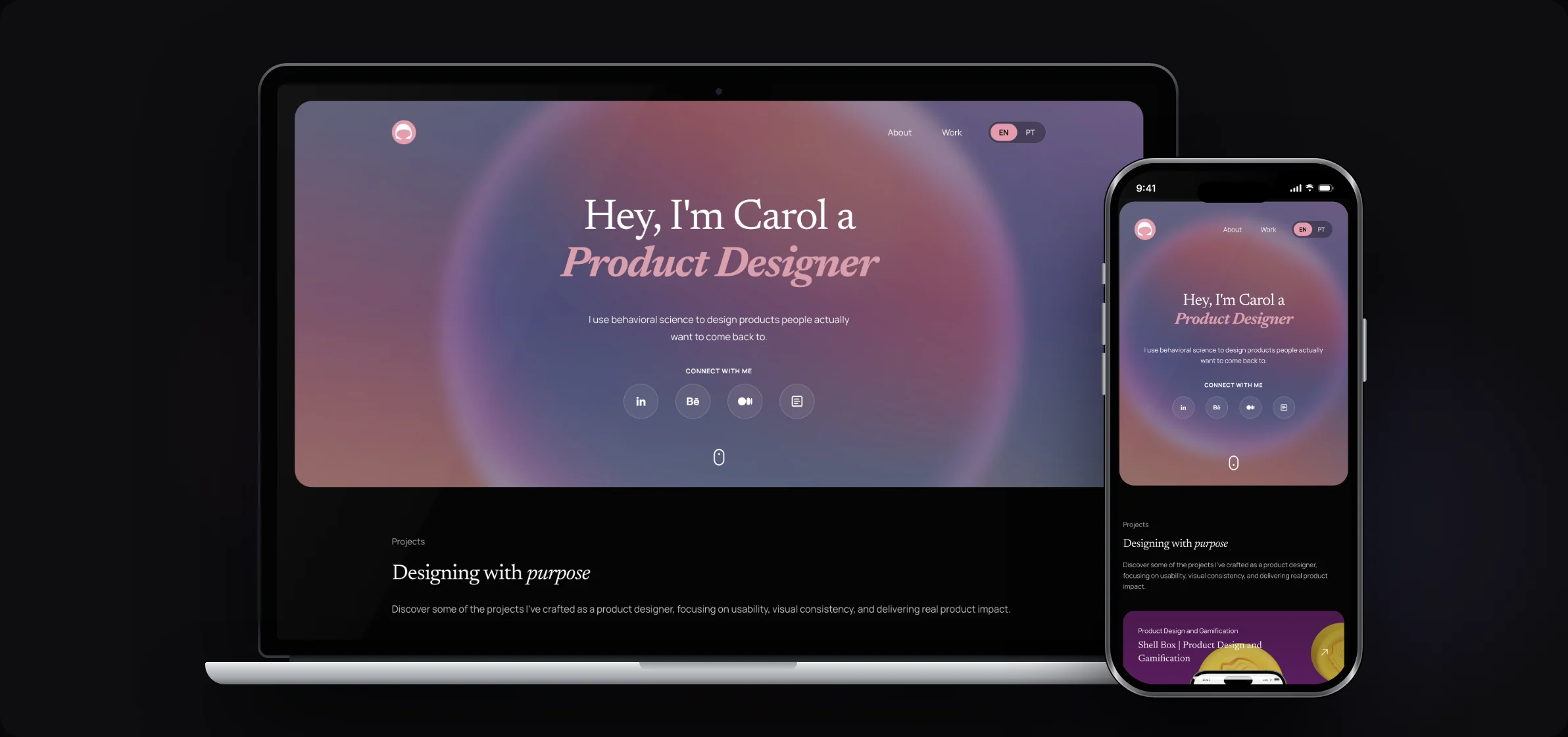
The switch swaps every text on the page in place. Recruiters in Brazil read the case in Portuguese; everyone else gets English. Try it on this hero.


Hey, I'm Carol a
Product Designer
I use behavioral science to design products people actually want to come back to.
Results
What changed
8
days from first audit to the live siteMy estimate without AI: [x weeks]
8
case studies moved to one standard
2
languages, switching without reload
Numbers in brackets are placeholders for real data.
What I'd bring to a team
A brief format for
working with AI
The site is the output. The process is what scales. I turned what worked into four rules I now use for any AI task, from copy to code.
- →
Prototype in code
Test ideas as working pages in hours, so the team discusses something real instead of static frames.
- →
Prompts as specs
A brief with reference, constraints and output works as a handoff that both engineers and AI tools can follow.
- →
Design systems AI can read
Clear tokens, named components and written rules make AI output consistent with the product from the first try.
What I learned
What I'd take forward
- 01
AI speeds up the making, but quality still comes from the brief and the review. The clearer my constraints, the less I had to fix.
- 02
Designing one excellent example first and scaling it saved more time than planning everything upfront.
- 03
Shipping code myself changed how I design for engineers: I now think about components and reuse from the first sketch.